


Carousels are outperforming Reels right now.
👋 Welcome back to Content to Commas, a weekly playbook for creators, founders, and content pros who want their content to look like it costs five times what it costs to make.
This week, I took a deep look at my own analytics and studied seven creators winning in my niche.
Six of the seven were not chasing more Reels. They were sharing more carousel posts.
The posts were valuable, seemed to follow a pattern, and were designed to attract attention.
So in this issue, I’m sharing the 5 key ingredients you should include in your Instagram Carousel strategy (and you can use them on other platforms too).
📌 In this issue:
The Instagram Carousel Formula (only if you want to grow)
How to Format your Instagram Carousels
The Pinned Content Strategy
Let’s get to work.
— Brandon
a message from our friends @ Stanley
You know personal pages outperform company pages.
You know your founder, your team, your advocates should be posting. You also know they won't. Not because they don't want to, but because Tuesday at 2pm is a meeting, not a writing session.

Here's what it does:
Shows you how your posts and content pillars are performing with Stanley analytics.
Sends a weekly insight email so the founder doesn't need a content meeting to know what to write.
Interviews you with the 'interview me’ feature so that it brainstorms content ideas.
If you're trying to convince a founder, a C-suite, or a busy operator to post more, hand them this. It does the heavy lifting they keep saying they don't have time for.
Click the link for a special offer: 7 days free and sign up for $59 (regularly $149).
📹 BUT WHAT ABOUT VIDEO??
Everyone is telling you to post more Reels, Shorts, or TikToks .. and yes, video does what video does.
But pull a save count on a carousel from a strong niche creator and compare it to the save count on a 60-second Reel. The carousel wins. Often by a factor of 3 or 4.
Reels build awareness. Carousels build authority.
The mechanic is simple. Saves, shares, and comments cluster on content people want to return to.
A carousel is a “return-to” format. A Reel is (mainly) a watch once or twice format. The platforms reward those differently, and right now the algorithm is leaning into depth.
🖼 The Instagram Carousel Playbook
Save this for when you’re creating your next carousel.
1. No more than 7 frames
[sidenote: do you call them frames or slides?"]
Cover. Setup. Principles. CTA. That's the whole equation.
Usually, the most effective carousels have around 7 slides.
If you find yourself needing 14 slides to get your point across, it might be a sign that your idea isn't quite clear enough. You could end up losing your audience's attention before they even get to the call to action (CTA).
Here’s the breakdown I’m following:
Slide 1: cover (declarative hook + subheader)
Slide 2: the problem framing in 1 to 2 sentences
Slide 3-6: Your one to four principles
Slide 7: ONE ask, ONE magnet, ONE CTA
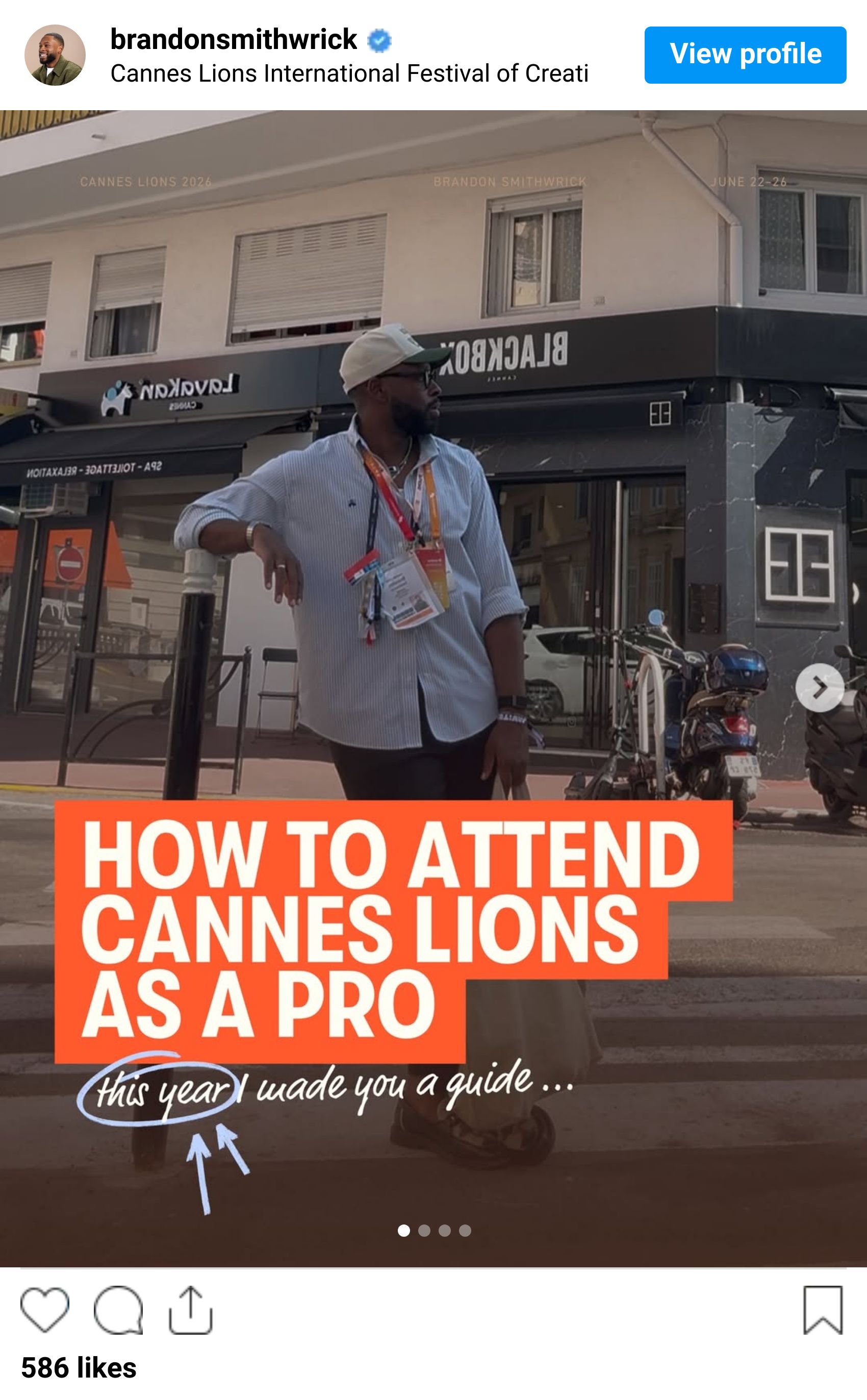
2. Master the perfect Cover Image.
The cover photo is the first thing they see (thanks Captain Obvious, but hang in there with me!)
This helps people decide whether to swipe to slide 2, and once they do, you’ve hooked them.
This is a formula I noticed…
1: HEADLINE — a declarative line with one bold or italicized word
2: SUBHEADING — a parenthetical statement that leaves the reader curious
3: THE NUDGE — The leading statement like “let me explain…” or “→”
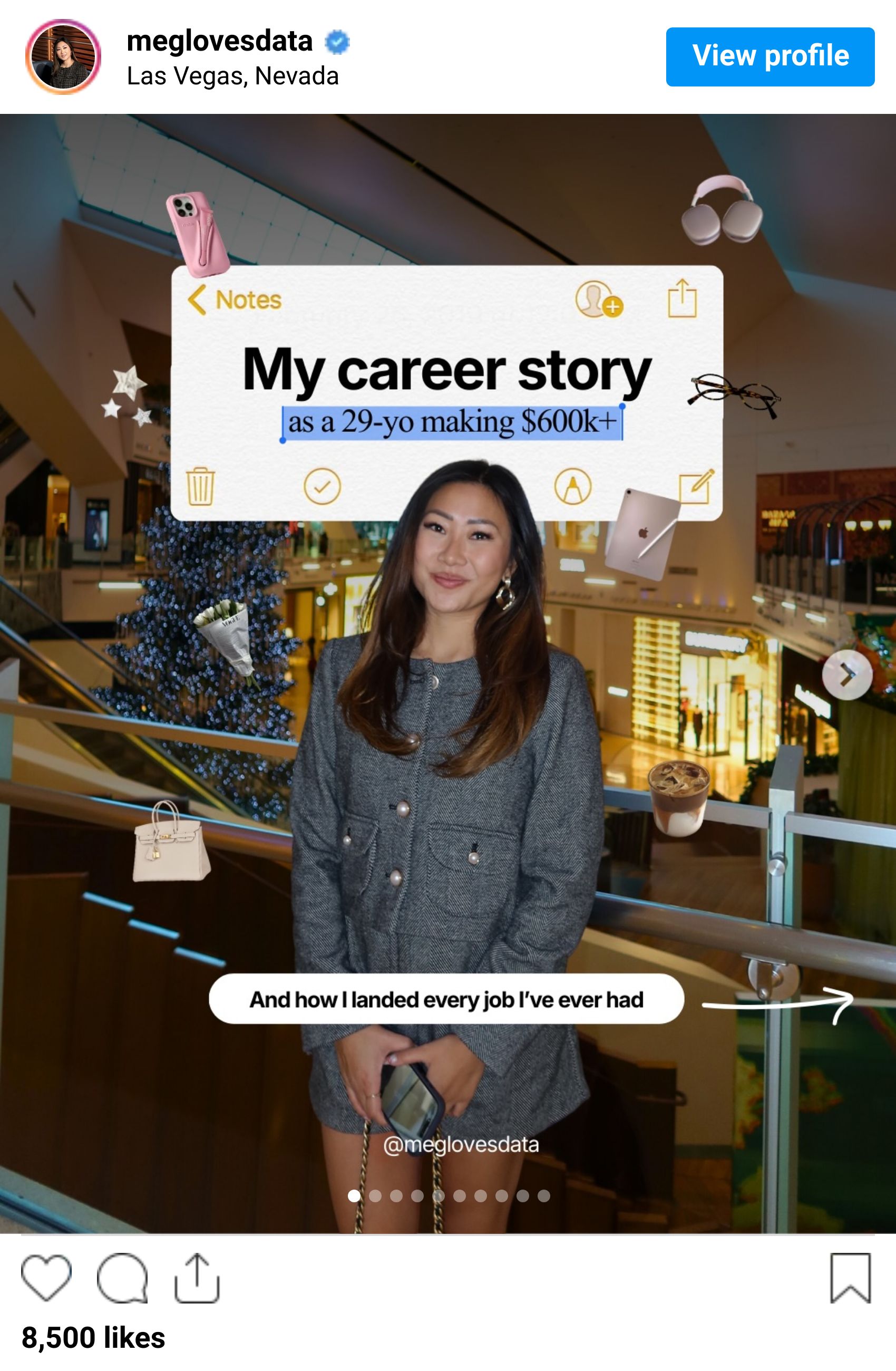
PRO TIP! Add a short subheader to your cover title that delivers proof or personality.
"(I gained 40K followers in 3 months)"
"(after 3 fails)"
"(in 20hrs/week)"
"(as a 29-yo making $600K+)"
This was the highest payoff typography move I noticed.
3. Layer your CTAs
Creators were layering their CTAs and it was a genius move to make sure the lurker, the engager, and the skimmer all see what you're trying to deliver.
The Last Slide CTA Rule: On the last slide of your content, include a call to action like "Save this" or "Comment WORD." Focus on one specific action you want your audience to take.
The Caption CTA Rule: In your caption, write something like "Comment AI and I'll send you the cheat sheet." This encourages automatic engagement. FYI — Use ManyChat for this.
Extra Caption CTA Rule (optional): Depending on the platform, you can add a line at the end of your caption like "Follow @brandonsmithwrick for more on building content systems" to grow your audience.
Three asks. Each one doing a different job. The save makes the post stickier. The comment delivers the magnet. The follow grows the account.
One CTA is a request. Three layered CTAs is a system. The system is what scales your account growth.
4. Your Pinned Post (your hero section)
Your pinned posts are the only piece of your grid you fully control.
The accounts I studied had either a mix of high performers or an "About Me" post (the move).
ONE of your pinned posts should be your story. Who you are. Your start. What got you to do what you do.
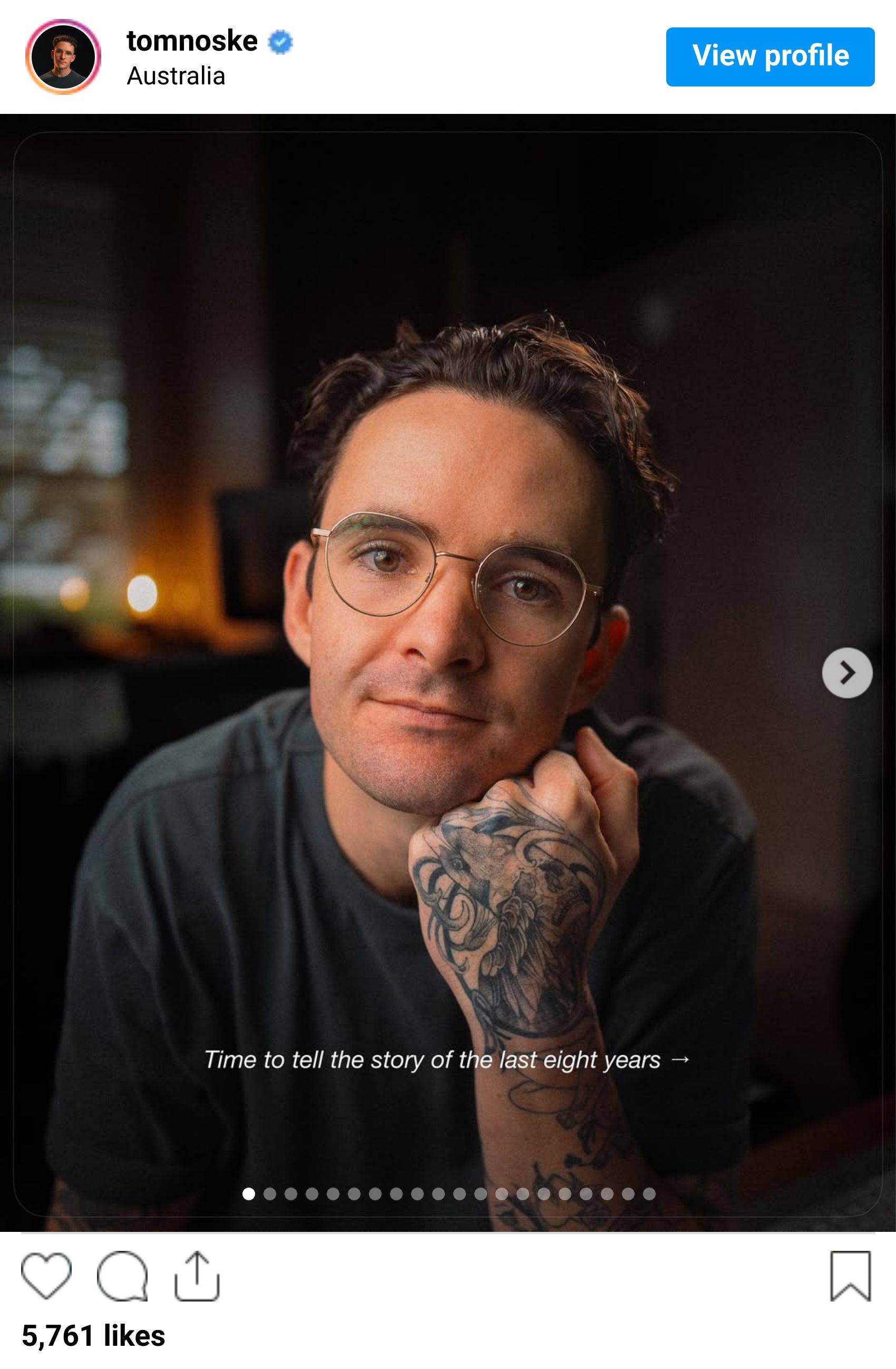
Reels has its own pinned 3 slots too. Run the same logic there.
Just a thought... If one of your pinned posts doesn't clearly show a stranger who you are, what you do, and why they should follow you, you might be missing out on some great opportunities.
5. The Visual Lock (one color, two fonts, you on the cover)
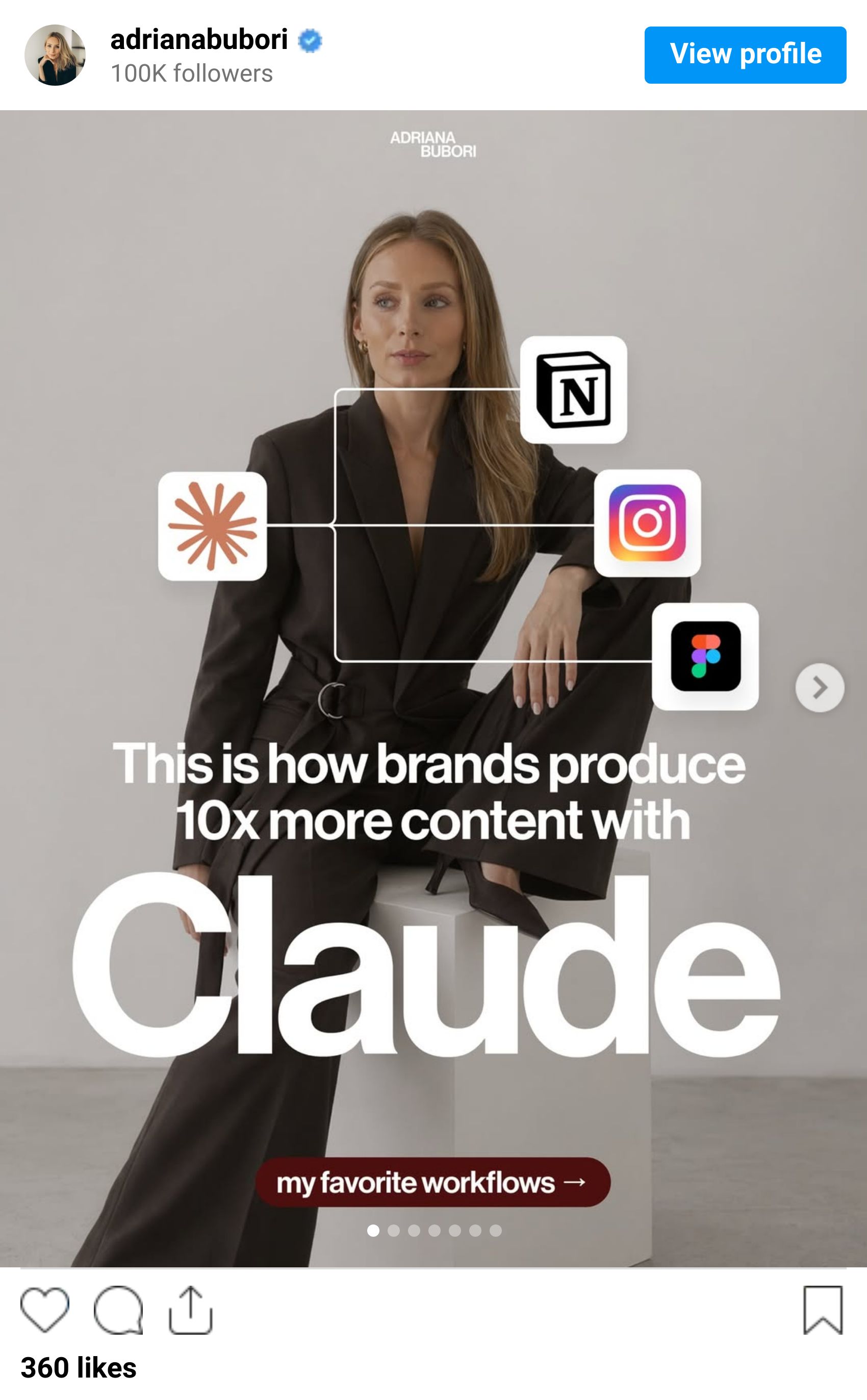
Six of the 7 accounts I scanned have the creator on the cover photo.
Often with one accent color slammed across the type.
Jeremy Bohdan (15K) locks neon green. Adrian Per (1.2M) locks yellow. Me? I’m locking in orange.
Different sizes. Same move.
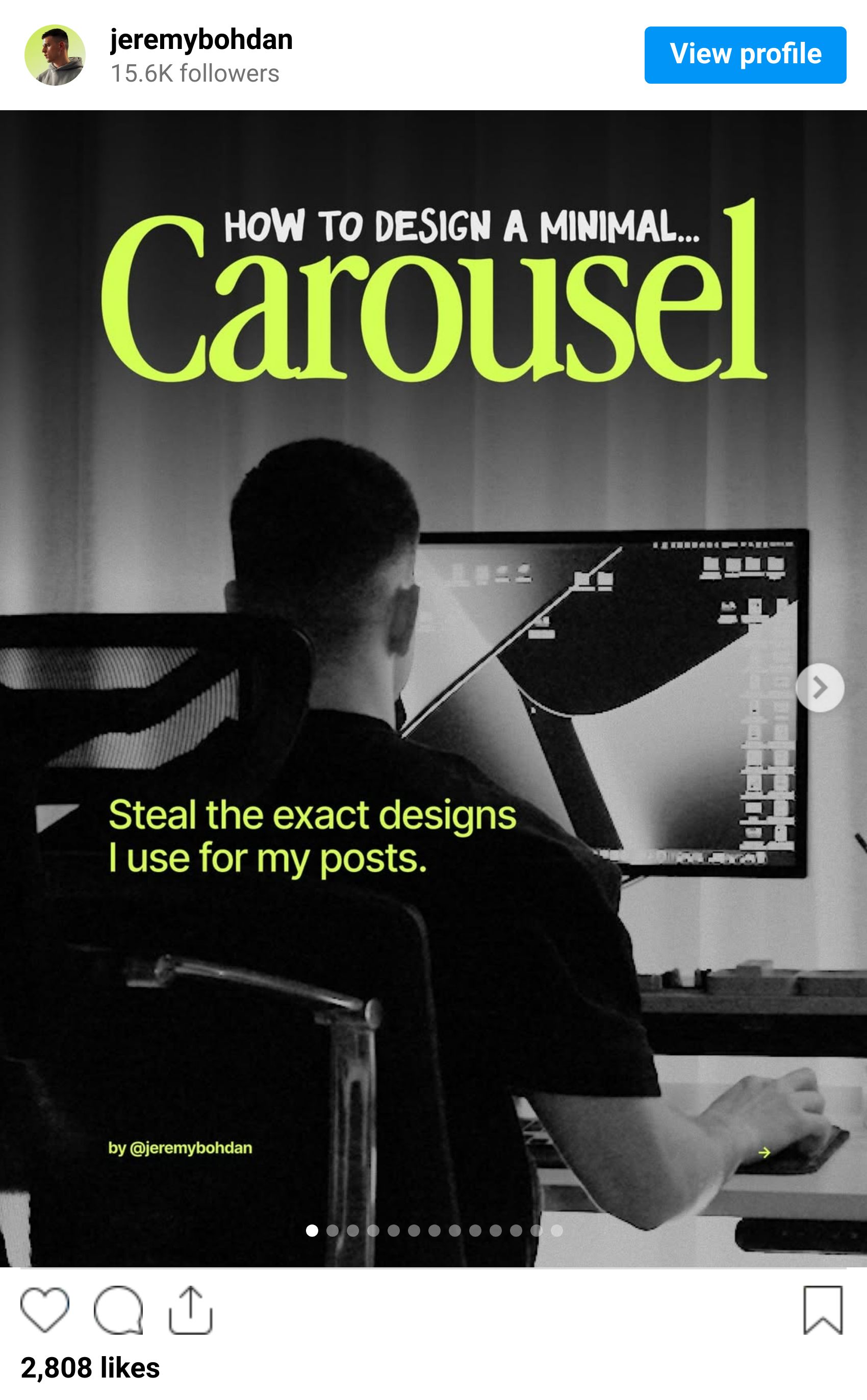
The visual lock is what makes a 15K account look like a brand and a 1M account look like a media company.
Pick one accent color. Two fonts. Then never change it. It builds visual identity.
If you're switching color schemes every week, you're starting from zero every week.
TLDR
Using a carousel structure grabs attention, while a well-thought-out design builds a brand.
For your cover, start with a strong statement, add an italicized word for emphasis, and include a catchy phrase. A subtle "Let me explain…" can draw readers in.
Stick to one signature color and make sure your face is on every cover for consistency.
Your audience reads the design before they read the copy. Pick three moves from the stack and run them on your next three carousels. Watch the save rate grow.
Was this issue useful?
📌 ICYMI…
Each week, I share simple plays on branding, monetization, and growth strategies, plus tools I actually use that you might've missed. Catch up in minutes.
Posts You May Have Missed…
🤖 The Free AI Playbook: I'm giving away the full AI Playbook. Comment "AI" on this post and I'll send it straight to your DMs.
💼 Help for Corporate Workers: Being a manager isn't easy. After years of figuring it out the hard way, I found a tool that's helping people become better managers, negotiate stronger, and operate smarter in corporate. → Check them out here
🎨 Canva 2.0 Changes the Game: I broke down how Canva 2.0 is reshaping content systems for teams. → Watch the full keynote breakdown
🧰 The 10 Tools Running My Content Business: Not 50 tools. Not "everything I've ever tried." The 10 I actually use every week to keep the lights on → See the stack
Community Favorites…
These hit hard the first time. Worth the re-read.
📱 How to Use Each Instagram Format: We talked about Carousels, now let’s talk about Reels, Stories, & Single Image Post → Read the full issue
⚙️ My Full Content System: I dropped a surprise issue this week breaking down the one automation that gets me 75% of the way there → Read the full issue
📬 The 1-Year Newsletter Audit: After 12 months of writing this thing every week, here's everything I'd tell you → Read the audit
🎥 Content Creation for Introverts: Being on camera isn't for the faint of heart. If showing up online drains you, this one's for you → Read the playbook
🚫 How to Stop the Algorithm from Hijacking Your Brand: One post pops off and suddenly you're chasing the format instead of building the brand → Read the breakdown
Tools I Love…
The stack I keep coming back to in my own business.
🤖 Stanley: My LinkedIn AI content coach. Right now they're running an exclusive where you pay $59 instead of $149 (no idea how long that holds, so move now). 7-day free trial included → Lock in the deal
📅 Cal.com: I fired Calendly. Cal does everything Calendly does for less, and new users get 20% off for 12 months → Make the switch
🗣️ Testimonial.to: If you work with clients, you need a better way to capture the praise they're already giving you. New users get 15% off for a year. → Start collecting
📬 Flodesk: I run all my lead magnet pages on Flodesk → Start for free
📱 Later: If you're drowning trying to manage your social accounts on your own, this is the one. Schedule, plan, and stop posting in real time → Try Later
🎤 Wispr Flow: My most-used tool, period. Writes about 10x faster than typing. First month free with my link → Try Wispr Flow
📊 Gamma: For presentations and one-pagers. Elite. Elite. Elite. → Try Gamma
🧠 Granola: The best AI notetaker I've used. No bot joining your calls. No awkward "this meeting is being recorded" moment → Try Granola
💬 ManyChat: The tool running my comment-to-DM flows. Lead capture in the background while I sleep → Build the flow
📧 Beehiiv: Where Content to Commas lives. Newsletters, websites, podcasts, link-in-bio, all in one. 20% off your first 3 months on my link → Launch a Beehiiv
Free Resources For You…
📷 Content Kit: The exact equipment to build dynamic content → Explore more
🧰 Ultimate Creatorpreneur Toolkit: 70+ tools I used to build a six-figure business, with exclusive discounts → Grab the toolkit
🪝 250 Proven LinkedIn Hooks: Copy, tweak, grow your brand faster → Get the hooks
🤝 How to Land a Brand Deal: Zero-fluff guide to inbound and outreach that works → Learn the playbook

Brandon Smithwrick, Creator of Content to Commas™
Thanks for reading! Say hi 👋 on LinkedIn
If this newsletter helped you make money, save time, or get unstuck… I want the receipt
Was this newsletter forwarded to you? Subscribe here
Interested in advertising? Get in touch
